


Woodturning
3.818.79K Reviews
App Specs
- Version
- 3.12.40
- Updated On
- License
- Free
- Downloads
- 100,000,000+
- Developer
- VOODOO
- Categories
- Simulation
- Platform
- Android, iOS
Screenshots

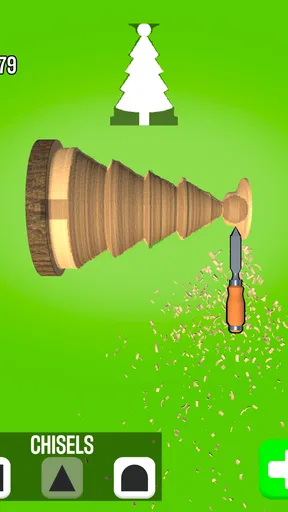
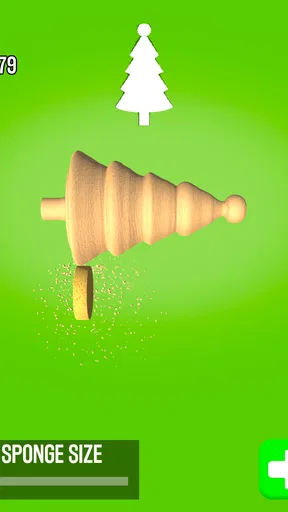

 Analysis by AppCompare
Have you ever wanted to try your hand at woodturning but didn’t want to deal with the mess and the tools? Well, I stumbled upon this nifty app called Woodturning that brings the joy of crafting beautiful wooden pieces right to your phone. Let me tell you, it’s a woodworker's dream without the sawdust.
Why the First Cut Works So Quickly
The first action is simple: you take a block of wood and start carving with touch controls. That quick start is a big part of the appeal. I don’t need to understand a complicated workshop setup before I can make something, and a short session can begin with a swipe rather than a long tutorial or a demanding plan.
That simplicity also sets expectations. This is a casual simulation game from VOODOO, not a woodworking course or a substitute for handling real tools. The pleasure comes from shaping a virtual object and seeing how small changes affect its outline. If you want practical instruction on safe tool use, measuring, or working with actual timber, a hands-on guide is the better choice.
Guides and Analysis on Woodturning
Getting Started: A Virtual Workshop
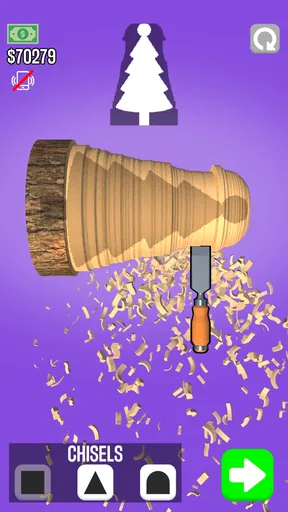
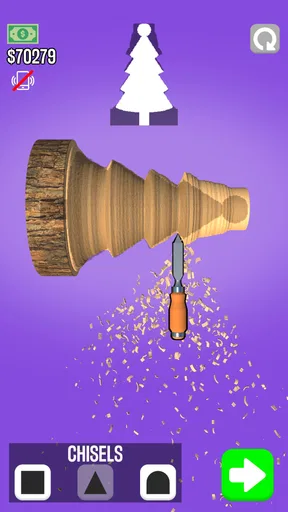
As soon as you fire up the app, you’re welcomed into a virtual workshop. It’s got this really chill vibe, kind of like stepping into a cozy cabin where creativity flows effortlessly. You start with a simple block of wood and, using the touch controls, you carve away. It’s super intuitive; just swipe and tap your way to crafting something unique. The controls are smooth and responsive, making it easy to get the hang of it even if you’re not usually into crafting apps.
Tools of the Trade
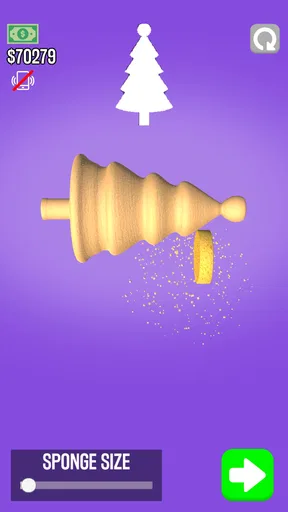
The app offers a variety of tools to sculpt your masterpiece. From chisels to sandpaper, you’ve got everything you need to refine your creation. The sound effects are a nice touch too—there’s something oddly satisfying about hearing the sound of wood being shaved down. And don’t worry, there’s no chance of a splinter!
The Rhythm of Carving and Feedback
What makes the basic interaction satisfying is the close connection between an action and its visible result: swipe, remove material, then judge the new shape. I find it works best when I make deliberate passes instead of trying to rush straight to a finished silhouette. A few controlled adjustments give me a better chance to notice whether the piece is becoming balanced or lopsided.
That feedback is immediate, but it doesn’t make every attempt equally precise. Touch gestures are convenient on a phone, yet a small movement can be harder to control than a real tool held in the hand. I treat the first strokes as a rough shaping stage, then slow down as the form gets closer to what I want. That approach is more forgiving than trying to carve a perfect outline in one go.
Worth Reading Before You Choose

Switching to Android Auto Means Rethinking Your Driving Routine

Google Calendar Makes a Crowded Week Easier to Manage

Ludo King Makes the Most of the Minutes Between Plans

Baby Panda World Brings Quick Play to Modern Phones, but Its Game Library Feels Busy

ESPN’s Live Game View Makes Following Close Games Easier

QuizzLand Review: A Good Fit for Short Trivia Breaks, Not Every Player
Design and Customization
One of the coolest features is the customization aspect. After shaping your piece, you can paint it, add textures, and even apply varnishes to give it that perfect finish. The range of colors and materials is quite impressive, allowing for a lot of creativity. Plus, seeing your work come to life in such vibrant detail is rewarding. It’s like being Bob Ross, but with wood instead of paint.
The finishing stage changes the feel of the task. Carving is about deciding what to remove, while color and surface choices let me make the result feel more personal. A useful habit is to settle the shape before spending time on decoration; if I keep changing the silhouette late in the process, I can lose the satisfaction of seeing a design come together. The trade-off is that the decorating side may matter less to players who want realistic woodworking technique rather than a playful creative outlet.
Challenges and Progression
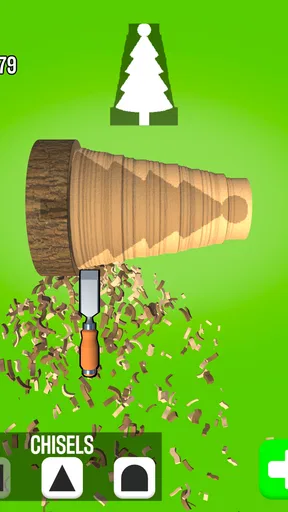
The game doesn’t just stop at free form crafting. There are challenges that test your skills, asking you to replicate specific shapes and patterns. It’s a fun way to improve and adds a layer of strategy to the game. Completing challenges earns you coins, which you can use to unlock more tools and designs. There’s a satisfying sense of progression that keeps you coming back for more.
Why Another Session Begins
The loop has a clear sequence: make a shape, see how it turns out, finish it, and move on to another task. The challenge mode gives that sequence direction when I don’t feel like inventing a design from scratch. Earning coins also makes a completed attempt feel like it has a small payoff beyond the object itself, while new tasks offer a reason to start carving again.
That reward is modest rather than a deep progression system to build a long-term strategy around. I see the coins as a nudge to keep experimenting, not a reason to grind through tasks I’m no longer enjoying. If I’m not in the mood to repeat the carving-and-finishing cycle, the game doesn’t suddenly become a different kind of experience; its appeal still rests on enjoying that central loop.
What a Short Session Looks Like
For an everyday use case, I’d reach for it during a quiet break when I have a few minutes and want something more hands-on than scrolling but less demanding than a full game session. I can begin with a block, try a shape, and decide whether to add a finish or take on a challenge. That makes it easy to pick up without arranging a long stretch of uninterrupted time.
It suits people who like tactile, low-pressure creative games, especially anyone curious about the visual idea of turning wood but not ready to buy tools or make a mess. It is less suitable for someone looking for realistic workshop simulation, precise technical lessons, or a complex crafting economy. Compared with puzzle games, it leaves more room for visual experimentation; compared with deeper simulation games, it asks less planning but also offers less technical depth.
Progress, Spending, and Practical Expectations
Woodturning is free to play, with in-app purchases priced from $5.49 to $154.99 per item. I would start without spending: the core appeal is trying the carving and finishing loop, and it makes sense to find out whether that loop holds your attention before considering a purchase. The range of purchase prices is broad, so anyone who is sensitive to optional spending should keep that in mind and avoid treating every unlock as necessary for enjoying the basic activity.
The game is rated Everyone, and its 3.9 average from around 566,000 ratings suggests plenty of people have tried it, though a rating is only a rough guide to whether its particular pace suits you. It has more than 100 million installs. It was released on January 9, 2020, and its current version is 3.11.24; it requires iOS or Android version 8.0 or later. Those details make it easy to check basic compatibility, while the more important personal question is whether you enjoy repeating a simple carve, finish, and begin-again routine.
Community and Sharing
Another neat feature is the ability to share your creations with the community. It’s great to see what other virtual woodturners are crafting and to get some inspiration for your next project. Plus, sharing your work and getting feedback can be really motivating.
Looking at other creations can also help when I’m short on ideas: I can notice how a different outline or finish changes the character of a piece, then try my own variation rather than copying a design exactly. Sharing adds a social outlet to what is otherwise a solitary activity. If I prefer to create privately, though, I can still enjoy the central making process without treating community participation as the point of the game.
Who Will Enjoy This Loop
I’d recommend it to someone who wants an approachable creative distraction, likes seeing a rough block become a finished object, and is happy to trade realism for convenience. It can also be a nice way to pass a brief idle moment: the action is easy to understand, but challenges give me a goal when unstructured carving feels aimless.
I’d skip it if I wanted a serious woodworking simulator, a lesson plan for real craft skills, or a game whose main appeal is a complicated campaign. The touch controls and repeated core routine are strengths for quick access, but they can feel limited to someone seeking fine control or a major change of pace. A dedicated woodworking tutorial is better for learning technique, while a more elaborate simulation is a better fit for players who want layered systems and long-term planning.
In a nutshell, Woodturning is a delightful escape into a world of creativity and craftsmanship. Whether you’re a seasoned DIYer or just looking for a relaxing new hobby, this app offers a perfect blend of challenge and chill. So, grab your virtual chisel and start crafting your masterpiece—no cleanup required!
My Take on the Repeat-Play Appeal
For me, the strongest reason to return is the quick creative feedback: I can make a visible change, decide whether it worked, and carry that judgment into the next attempt. The challenges and the option to customize give the loop a little direction and personality, but they don’t disguise its straightforward nature. If that small cycle feels calming and rewarding to you, it can be an easy game to revisit. If you need every session to introduce a new mechanic or a deeper problem, its simplicity may wear thin.
Pros
- Intuitive controls make it easy to shape wood.
- Variety of tools for creative expression.
- Satisfying sound effects enhance gameplay.
- Realistic wood textures and finishes.
- Frequent updates with new features.
Cons
- Ads can interrupt the creative process.
- Limited free tool options without purchase.
- Occasional lag on older devices.
- No multiplayer or community features.
- In-app purchases can be pricey.
FAQs for Woodturning
What is Woodturning and how does it work?
Woodturning is a mobile game that simulates the art of wood carving. Players use virtual tools to shape and polish wood into various designs. The game provides a realistic experience, allowing users to carefully carve out intricate designs, apply paint, and finish with a glossy polish. It's intuitive and offers a creative outlet for all ages.
Is Woodturning free to play, and are there in-app purchases?
Woodturning is free to download and play, offering a range of basic levels and tools. However, it includes optional in-app purchases that enhance the gaming experience. These purchases may include additional tools, design templates, or ad removal. Users can enjoy the game without purchases, though they might encounter ads.
What are the system requirements for Woodturning on Android and iOS?
To run Woodturning smoothly, Android devices should have at least Android 5.0 (Lollipop) or later, and iOS devices should have iOS 10.0 or later. The app requires approximately 150 MB of free space. Ensuring your device meets these requirements will help avoid performance issues during gameplay.
Can I play Woodturning offline?
Yes, Woodturning can be played offline, which allows users to enjoy the game without an internet connection. However, some features, like accessing the in-game store or viewing leaderboards, require an internet connection. Playing offline is ideal for uninterrupted gameplay and creativity on the go.
How does Woodturning ensure user privacy and data security?
Woodturning respects user privacy and collects minimal data to enhance user experience. The app adheres to standard data protection regulations, ensuring any collected data is securely stored and not shared with third parties. Users can review the privacy policy within the app for detailed information on data handling practices.


